
How can I enroll a student who is not registered in my courses?
You can add a student who is not an officially registered in a course by following the steps below.
1- Click on the relevant course under "My Courses".
2- Click on the "Participants" link on the middle of the course page
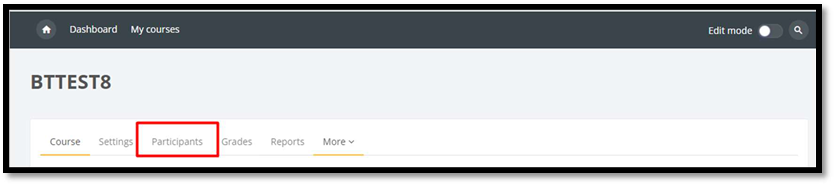
3- Click on the "enroll users" button

4- Type the name of the user you want to add in the "Select User" field on the form and select the role as "auditing student" from the "Assign Role" section.
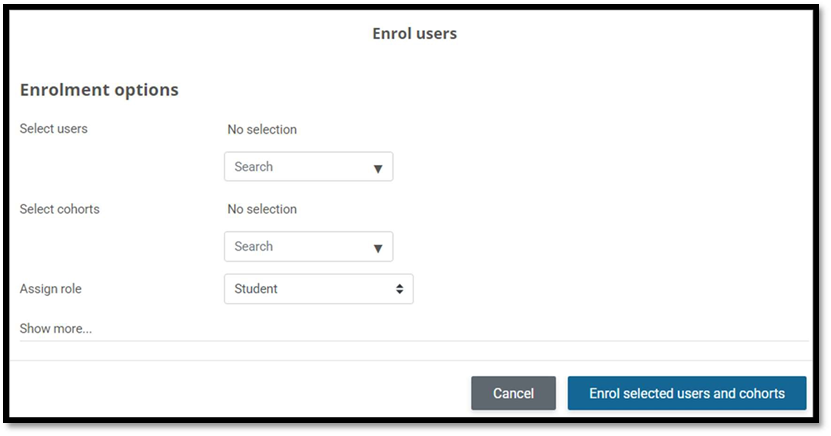
5- Click on the "Enroll Selected User and Cohorts" button.
Note: If you need to add someone who is not an official student just to follow your course, you can add them as "Auditing Student". When you add them with the "Student" role, the student will be removed from the course due to the synchronization between SUCourse and the Information System.
For detailed information about SUCourse roles click the link below.
https://sucourse.sabanciuniv.edu/plus/mod/page/view.php?id=98180