
How can I login to SUCourse?
- Go to https://sucourse.sabanciuniv.edu/plus/ address.
- Click “Login” button top right side of the page.
- On the Login page that opens, you will see three different links.
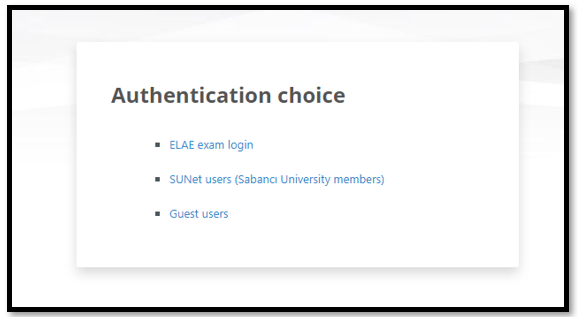
a. The "ELAE exam login" link is used by ELAE exam participants.
b. The "SUNet User" link is used by SU members (academic, administrative staff, and students).
c. The "Guest User" link is used by all guest participants who log in with their own email addresses, excluding their SUNET email addresses.
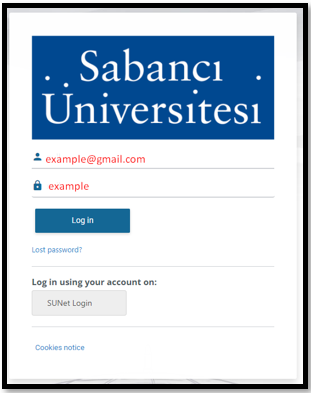
4. On the page that opens, for the "Guest" and "ELAE Exam Login" login options, you need to enter the email address you provided to SUCourse and the password sent to you by SUCourse. And click the Login button.
Last modified: Monday, 25 August 2025, 4:19 PM